Quick Answer:
Enter a registration number on GOV.UK’s vehicle enquiry service to see DVLA tax, SORN, MOT expiry, and vehicle details. It doesn’t cover finance, write-offs, or keeper names.
By Muhammad Rehan Iqbal, founder and developer of ShareCodeCheck.org. Official GOV.UK pages referenced here were reviewed on 6 October 2026.
To get vehicle information from DVLA, enter the vehicle’s registration number (number plate) into GOV.UK’s vehicle enquiry service. It returns details DVLA holds, such as tax status, SORN status and MOT expiry. It does not return the keeper’s name or address.
Who this guide is for:
This guide is for UK used-car buyers and vehicle owners who want to confirm what the Driver and Vehicle Licensing Agency (DVLA) holds about a vehicle. It also covers the separate routes for keeper details, your own records and insurance. ShareCodeCheck.org covers this under its UK official-checks cluster.
What vehicle information DVLA shows?
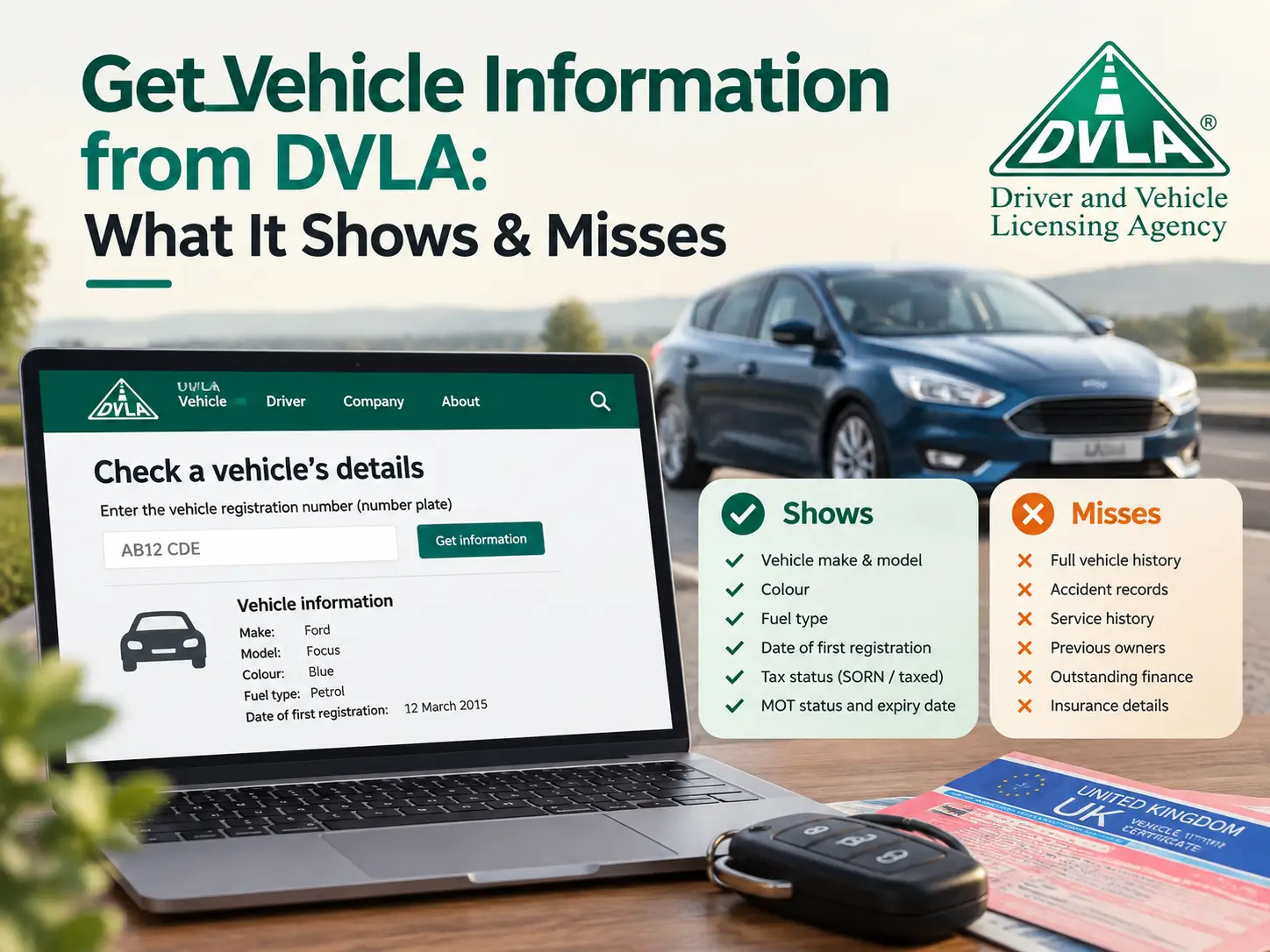
The service returns a fixed set of vehicle-level details. According to GOV.UK, you can check:
- vehicle tax: the current rate and when it expires
- SORN (Statutory Off Road Notification) status
- when the MOT expires
- date first registered and last log book (V5C) issue date
- year of manufacture, type approval category and weight
- engine size and fuel type
- emissions: CO2, real driving emissions level and European status
- export status
How to get vehicle information from DVLA online?
You need only the registration number. The steps are:
- Open the vehicle enquiry service from the “Start now” button on the GOV.UK page.
- Enter the registration number.
- Compare each detail with what the seller, advert or log book says.
GOV.UK states you’ll need the registration number. A vehicle identification number (VIN) is not the lookup key. The VIN is used to compare the vehicle itself with its log book, as covered below.
Using the DVLA check before buying a used car
GOV.UK’s used-vehicle checklist puts the DVLA lookup early. The sequence it describes is:
| Stage | Check | Where |
|---|---|---|
| Before viewing | Seller’s registration number, make, model and MOT test number match DVLA’s information | DVLA vehicle enquiry service |
| Before viewing | MOT status and history match what you’ve been told | GOV.UK MOT history service |
| Before viewing | Vehicle hasn’t been recalled for a serious safety issue | GOV.UK recall check |
| At viewing | V5C (log book) has a “DVL” watermark and its serial number is not in the ranges GOV.UK lists as possibly stolen | The log book itself |
| At viewing | VIN and engine number match the log book | The vehicle |
If you buy, GOV.UK’s seller guidance says vehicle tax isn’t transferred to the new keeper. The new keeper must tax the vehicle, or declare it off the road with a SORN, before driving it.
For rates and steps, see ShareCodeCheck.org’s Check Vehicle Tax guide.
What DVLA’s vehicle enquiry service doesn’t show?
The GOV.UK page lists what the service returns, and finance, insurance write-off status and theft records are not on that list. Treat those as separate checks from a separate source.
Plate-change history and previous keepers aren’t on GOV.UK’s list either. The V5C issue date is the closest signal the service gives, since a recent date on an older vehicle is worth asking the seller about.
For stolen-vehicle risk, GOV.UK’s own route is the log book serial-number check above. For safety, it’s the recall check.
MOT check: expiry versus history
The DVLA enquiry shows when the MOT expires. For past results, GOV.UK’s separate MOT history service lists whether each test passed or failed, the mileage recorded and when the next MOT is due. Comparing mileage across tests is a free way to spot a reading that doesn’t add up.
Coverage depends on the vehicle and where it was tested:
- Cars, motorcycles and vans: tests since 2005.
- HGVs, trailers, buses and coaches: tests since 2018.
- Northern Ireland: tests since 2017, with no certificate downloads.
In England, Scotland and Wales you can also see failed parts and minor problems, and download certificates. Northern Ireland drivers who need to book a test can use ShareCodeCheck.org’s Book MOT NI guide.
Checking whether a vehicle is insured
DVLA’s page doesn’t cover insurance. It directs people to askMID to check whether a vehicle is insured. A “DVLA insurance check” is therefore a Motor Insurance Database check.
Get vehicle information from DVLA about the registered keeper
The online service doesn’t show keeper details. GOV.UK says you must write to DVLA, and you’ll need a “reasonable cause”. Examples it lists include:
- finding out who was responsible for an accident
- tracing the keeper of an abandoned vehicle
- tracing the keeper of a vehicle parked on private land
- tracing people suspected of insurance fraud
Individuals apply by post using form V888. Companies use different forms, and private parking companies must belong to the British Parking Association or the International Parking Community. DVLA’s release-of-information guidance gives a £2.50 fee for keeper-at-date-of-event requests under reasonable cause. Confirm the current fee on the form before sending.
General curiosity about a car’s previous owners doesn’t meet the reasonable-cause test.
Requesting your own vehicle records
For information DVLA holds about you, your current vehicle or a vehicle formerly in your name, make a subject access request. GOV.UK says it’s free. The form can be emailed or posted. Use it for keeper history of your own vehicles, not someone else’s.
Contact DVLA online about a vehicle
For details beyond the online service, GOV.UK points to its vehicle registration and V5C contact route. GOV.UK lists that route for date of first registration, year of manufacture, engine size, CO2 emissions, colour and current tax rate.
For developers: the DVLA Vehicle Enquiry API
Businesses and developers can use DVLA’s published Vehicle Enquiry API. Its specification lists fields such as registration number, make, colour, tax due date, MOT status and export marker. Access terms are on the portal.
Official services versus third-party car check sites
Third-party sites typically wrap DVLA data and add their own paid reports. The table separates what comes from which route.
| Need | Official route | Notes |
|---|---|---|
| Tax, SORN, MOT expiry, vehicle details | DVLA vehicle enquiry service | Registration number only |
| Past MOT results and mileage | GOV.UK MOT history service | Since 2005 for cars, vans and motorcycles |
| Insurance | askMID | Not a DVLA service |
| Another vehicle’s keeper | Form V888 by post | Reasonable cause required |
| Your own records | Subject access request | Free |
| Finance, write-offs, theft | Not listed by DVLA’s service | Separate source needed |
Suggested visual:
A decision flowchart, “What do you need to know? → which official route”, for the editor to add.
Key Takeaways
- The DVLA vehicle enquiry service needs only a registration number and returns tax, SORN, MOT expiry and vehicle details.
- It doesn’t return keeper names, addresses, finance, write-offs or theft records.
- MOT history and insurance are separate services (GOV.UK MOT history and askMID).
- Another keeper’s details need a written V888 request with reasonable cause. Your own records are free via a subject access request.
- Vehicle tax doesn’t transfer to a buyer. Tax or SORN the vehicle before driving it.
Before you drive a car you’ve just bought, read ShareCodeCheck.org’s Check Vehicle Tax guide.
FAQs
Can I find out who owns a car from its number plate?
Not through the online service. DVLA releases another keeper’s details only by written request with reasonable cause, such as tracing the keeper after an accident.
Does a DVLA check show outstanding finance or write-offs?
No. Finance, write-off status and theft records aren’t among the details GOV.UK lists for the service. You’d need a separate source.
Does vehicle tax transfer when I buy a car?
No. GOV.UK says tax isn’t transferred, so the new keeper must tax the vehicle or declare it off the road before driving.
What’s the difference between the DVLA check and the MOT history check?
The DVLA check shows when the MOT expires. The MOT history service shows past results, failures and recorded mileage.
Can I check a vehicle with the VIN instead of the registration number?
GOV.UK says to use the registration number for the DVLA service. The VIN is for matching the physical vehicle to its log book.
Is this still the current process?
The GOV.UK pages cited here were reviewed on 6 October 2026 and describe the service as above. Confirm any detail on the GOV.UK page before relying on it for a purchase.